
Join & Get Verified at Odds96 – Set Up Your Account Now
Odds96 is one of the betting sites in India for 2026, offering sports betting, casino games, and live dealer tables all in one place.
Sign up today, confirm your profile, and open the door to numerous perks, quick INR withdrawals, and around-the-clock customer support.

Content
Creating Your Odds96 Account
You can sign up for Odds96 in three different ways. Each one is simple and only takes a couple of minutes. Choose the option that suits you most and dive in without delay.
Registration by Phone Number
If you’re new to this in India, signing up is a breeze with just your phone number.
Here’s a way to get through the registration:
-
Step 1
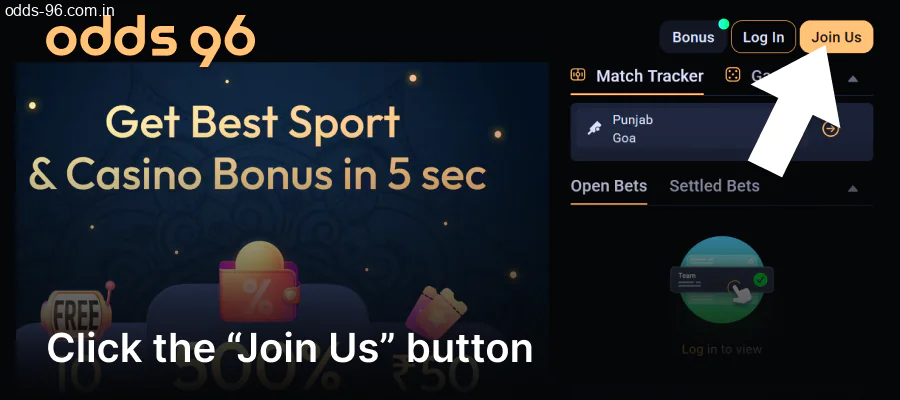
Go to the website or app and look for the “Register” button in the top right corner.
-
Step 2
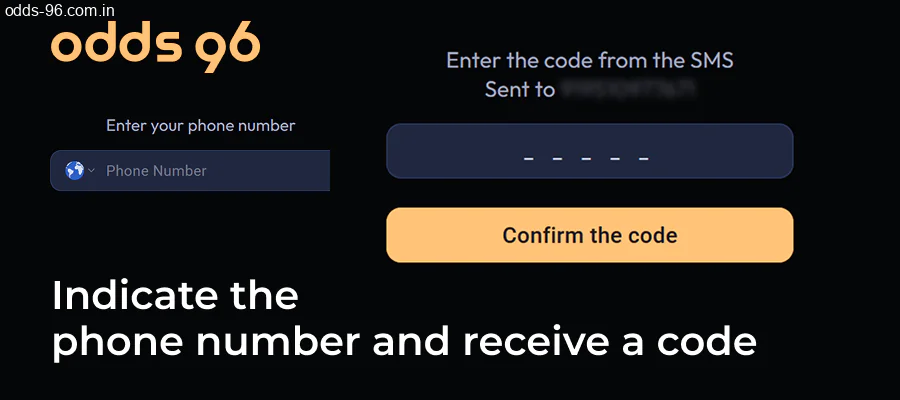
Enter your Indian mobile number and click the “Send Code” button
-
Step 3
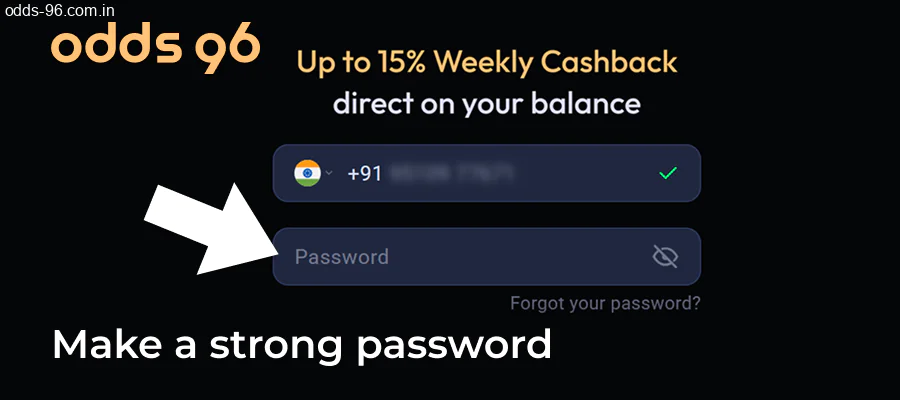
Create a password that’s at least 8 characters long, including at least 1 number and 1 special symbol.
-
Step 4
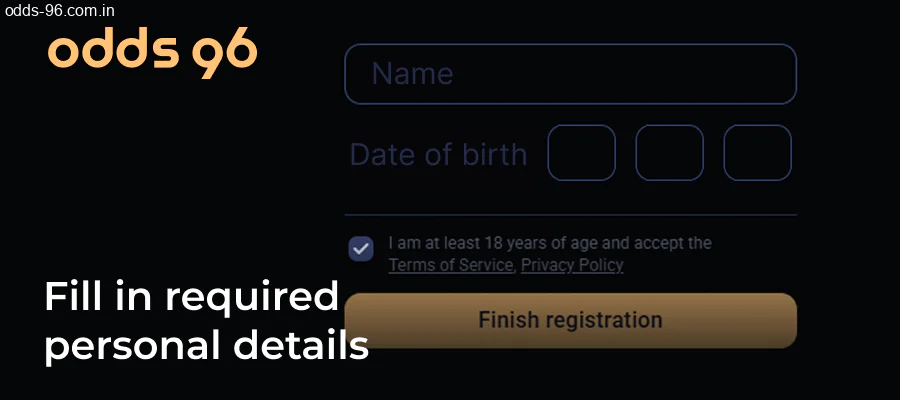
Fill in any required personal details, like your full name and date of birth.
-
Step 5
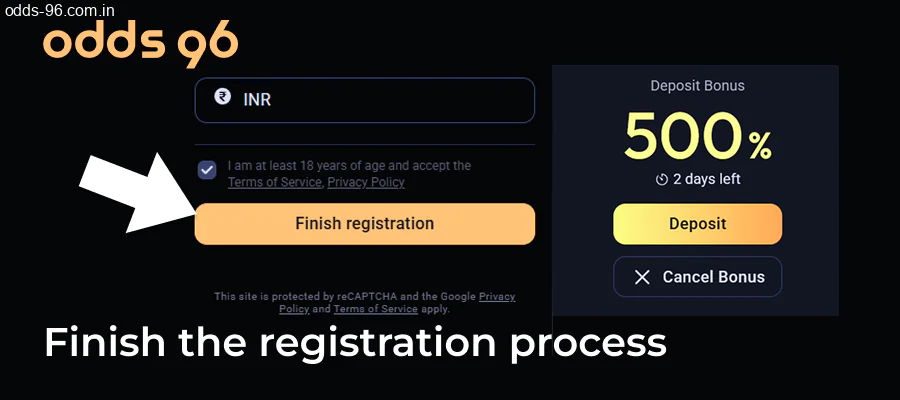
Press “Complete Registration” and watch for a confirmation message on your screen.
Register Using Your Gmail Account
Creating an account with Gmail is a breeze-it only takes a single click. No lengthy forms, no handwritten entries.
Here’s a rundown of how things work and what to anticipate at every step.
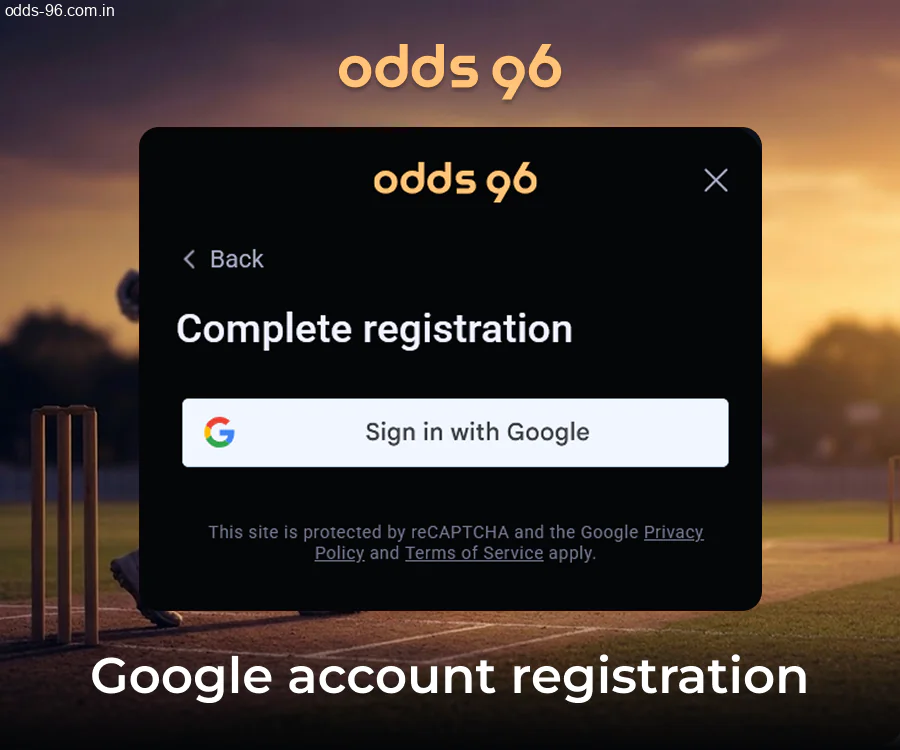
- Click the “Sign Up via Google” button on the sign-up page.
- In the pop-up, choose the Gmail account you’d like to link.
- Grant the site access to some of your profile info, such as your name and email.
- Verify the permissions shown in the Google dialog box on your screen.
- After Google verifies your identity, you’ll be sent back to the site automatically.
- Make sure to check your email inbox for a message confirming your account details.
Sign Up for Odds96 Using Your Facebook or Telegram Account
If you’re looking to set up an account at Odds96 in 2026, you can pick either Facebook or Telegram. Both ways avoid the trouble of filling out forms yourself and get you going in under a minute.
Take a look at the two sign-up options and what each offers:
- Facebook Registration: Simply hit the “Sign Up” button on the Odds96 site, then choose the Facebook option. You’ll land on a Facebook login page. Once you give it the green light, Odds96 grabs your name and email directly from your Facebook profile. You won’t need to think of a password. The key point is how fast it runs – your account activates nearly right away;
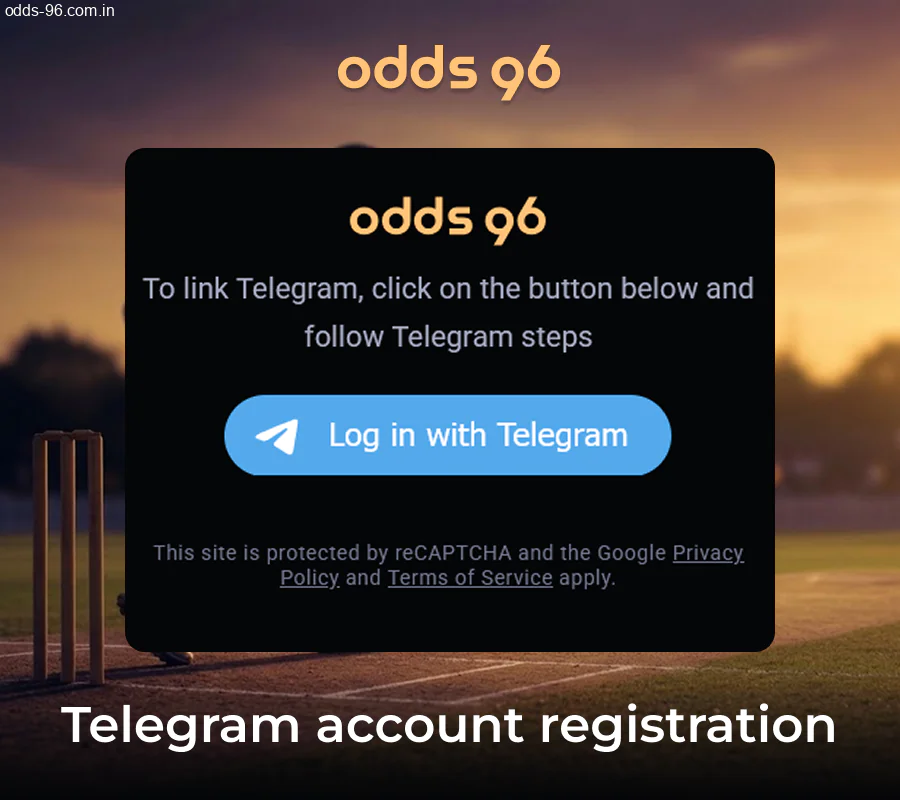
- Telegram Registration: Choose Telegram when signing up with Odds96. A bot will drop you a message on Telegram to confirm. Simply link your Odds96 account with your Telegram profile. When you take this step, your Telegram username and phone number will be revealed. This approach is great for those who like to have everything linked to their system.
Get in on Odds96 via the Mobile App
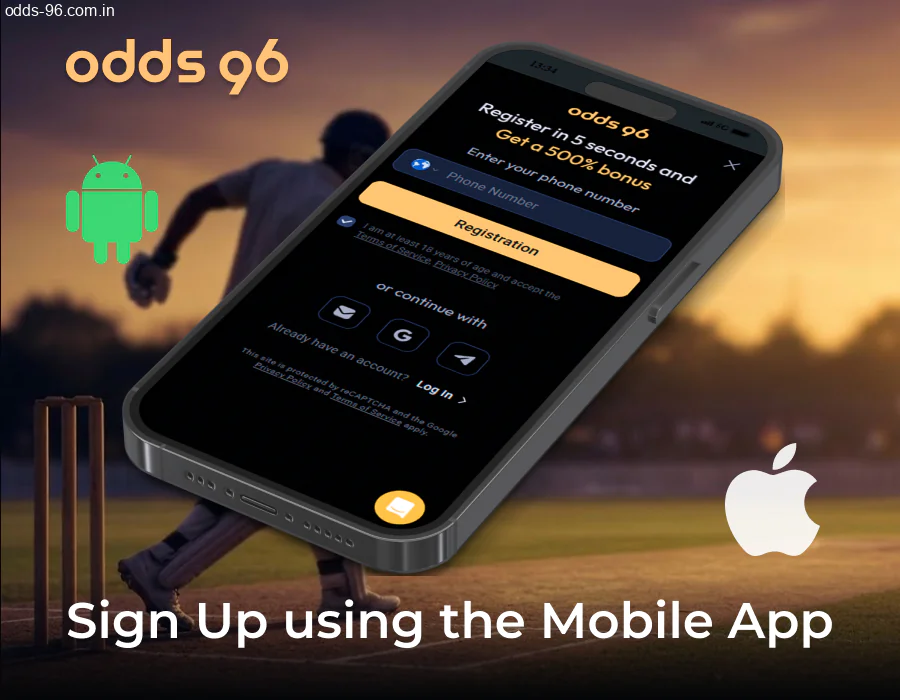
The Odds96 app can be downloaded by anyone with Android or iOS devices.
Android users can easily download the APK file directly from the Odds96 website, while iOS folks can snag the app from the App Store.
Here’s how to register using the app.
To kick off mobile registration, just follow these steps in order – it should only take about 3 minutes on any smartphone.
- Get the Odds96 app downloaded and set up on your device.
- Launch the app and tap the “Register” button on the main screen.
- Input your email address and create a password for your account.
- Fill in your details, like your name and date of birth.
- Choose INR as your currency from the list provided.
- If you have a promo code, go ahead and enter it here to get a welcome bonus.
- Select the box to confirm that you agree to the terms and conditions.
- Press the “Confirm” button to submit your registration form.
- Check your email inbox for a verification link from Odds96.
- Click the link in the email to activate your Odds96 account.
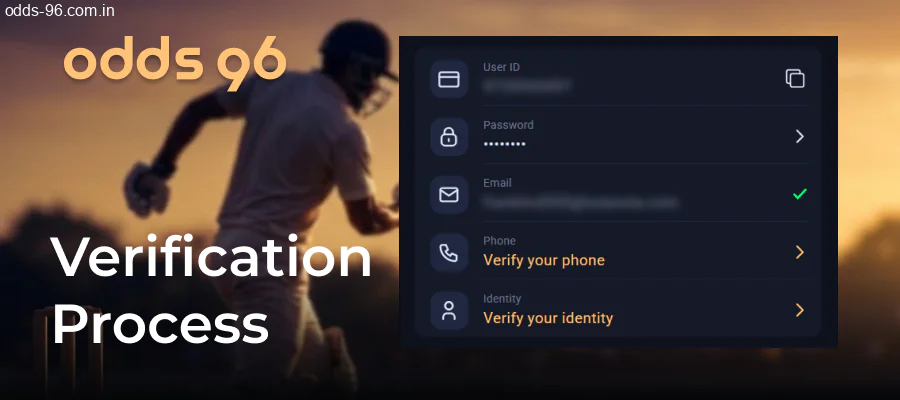
Verifying Your Identity at Odds96 for Players in India
Completing your verification at this casino is really simple. Check out these 6 steps below, and you’ll get your account verified in no time. The whole process usually wraps up in under 48 hours.
- Log in to your casino account with your registered email and password.
- Navigate to your profile settings and look for the “Verification” or “KYC” section.
- Choose the document you’d like to upload – documents accepted from India include Aadhaar Card, PAN Card, Passport, and Voter ID.
- Upload images or scans of your document – make sure both the front and back can be seen, without any blur, cropping, or glare.
- Take a selfie holding the document – ensure your face and the details on the document are visible in the same shot.
- Submit everything and wait for the casino’s team to review your files – you’ll receive an email once they update your status.
How to Access Your Odds96 Account
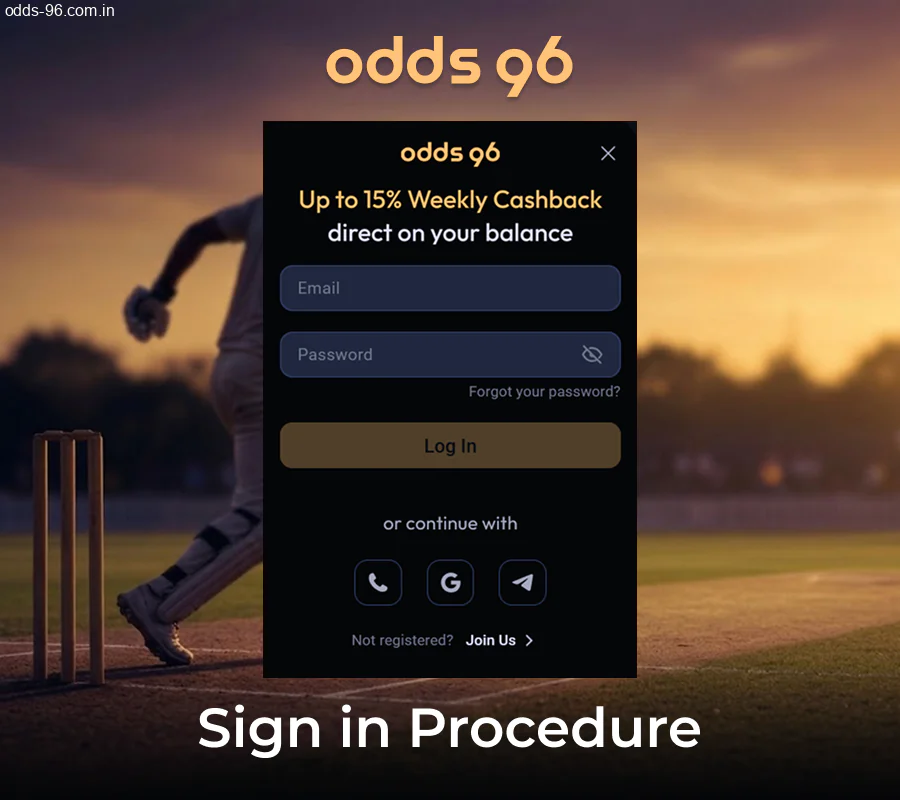
Once you finish signing up at Odds96, getting back into your account is a breeze.
You have two options for logging in: type in your email and password, or just click a link for a social account to get started.
Here’s the rundown on logging in, troubleshooting, and maintaining your account’s security.
We’ll go over a few points about signing into Odds96.
This guide makes everything clear.
- Standard login: Head to the Odds96 homepage, hit the “Log In” button at the top right, and then enter your registered email and password;
- Social login: Tap “Log In,” choose the social account linked to your profile, and grant access – you’ll be logged in in less than 10 seconds;
- Forgot password: Click “Forgot Password” on the login page, enter your email, and follow the reset link sent to your inbox – just a heads up, that link is valid for only 24 hours;
- Wrong credentials error: Make sure Caps Lock is off and you’re entering the exact email associated with your Odds96 account;
- Locked account: Your account will be locked after 5 failed login attempts – contact Odds96 support via live chat to get it unlocked;
- Two-factor authentication: Turn on 2FA in your account settings for added security – this will send a code to your phone;
- Security tip: Always keep your password private, and try not to log in over Wi-Fi without a VPN.
What You’ll Find in Your Odds96 Personal Dashboard
Your Odds96 account lets you manage everything on your own – from your money to your bets.
Check out the tools and options waiting for you once you log into your profile.
- Account Management: You can update your details, verify your identity, and set up security features like two-factor authentication;
- Deposit and Withdrawal Options: There are over 15 payment methods available on the dashboard, such as UPI, Paytm, PhonePe, and bank transfers in INR;
- Betting History: All your bets are stored and can be sorted by date, sport, or market – so you can easily check your results and stakes whenever you want;
- Bonus Tracking: You’ll find all your bonuses, free bets, and promo codes in one place, along with details about their terms and expiration dates;
- Profile Settings: Change your password, update your contact information, and tweak notification settings directly from the settings page;
- Responsible Gambling Tools: Features like deposit limits, session reminders, and self-exclusion options are available for players in India;
- Special INR Features: Your account operates fully in Indian Rupees, which means you won’t have to worry about currency conversion at all.

Questions About Registration & Verification at Odds96
Do you have questions about signing up or verifying your identity at Odds96?
This section addresses the inquiries players have about both processes, clearly and straightforwardly.
What’s the Minimum Age to Join Odds96?
There is no age restriction as to how young a person can be, the only condition is that is a person must be of adult age (18 years) to access our site and the content present on it.
How Long Does the ID Check Typically Take?
In 2026, you’ll find that most casinos wrap up the ID check process in about 24 to 48 hours. Some sites can get it done quicker – in less than 12 hours.
Others, especially when things are hectic, might take as long as 5 business days.
There are quite a few factors that can influence the speed of the process.
Can You Sign Up for Multiple Accounts?
No, Odds96 doesn’t permit anyone to create more than one account.
This rule is in place to ensure fairness and stop any cheating or abuse of bonuses that could come from having duplicate accounts.
If someone sets up two or more accounts, Odds96 can choose to block all of them. Any cash or rewards tied to those accounts could disappear without warning. If you accidentally set up a second account, just get in touch with Odds96 support right away. The team will handle it before any limits are set on your profile.
Can I Delete My Account?
Absolutely, you can delete your account if you want to. The process is going to be permanent – once it’s done, you’ll lose your data and history for good. That being said, there are a few things we need to clear up first.
If there’s any money still in your account, be sure to take it out before you ask for deletion. Remaining balances won’t get sent or refunded automatically. Help is here if you’re uncertain about what to do next. If you’ve got to take something out, just reach out to the support team through chat or email. They’ll check your identity and handle your request. It often takes roughly a week to wrap things up.
Not quite prepared to head out yet? You might opt for a suspension instead. This temporarily locks your account for 30, 60, or 90 days, but none of your info gets deleted.
It’s your call if you’d like to take a break and relax.
Can You Sign Up With an Indian Government-Issued ID?
Yes, you can definitely use Indian IDs to confirm your account.
There are a few types of IDs, and the process is pretty straightforward.
Here’s what folks in India tend to find handy.
Aadhaar Card – a 12-digit ID issued by UIDAI, it’s recognized as a proof of identity;
PAN Card – issued by the Income Tax Department, this card serves well for identity verification;
Passport – this document is useful for confirming both your identity and address;
Driver’s License – provided by the Regional Transport Office, it works as either a primary or secondary ID;
Voter ID Card – issued by the Election Commission of India, it’s acknowledged as a government document.